 Docs
Quickstart
Send your first model request using the console's connection instructions.
Prerequisites#
Sign in to the Runtoken console. Make sure your account can use the selected model and has available funds.
Have a terminal or application environment ready. The console provides cURL, Python and Node.js connection code.
Create a platform API key#
Open API Keys and choose Create API key.
Name the key
Enter a name that identifies where the key will be used.
Set its scope and limits
Check the expiry, model scope and spend limits before creating the key.
Save the key
Choose Create and show key and save the full key in your secret store.
The full key is shown only when created. For available restrictions and key handling, see Authentication & keys.
Choose a model and connect#
Open Model Market and select a model. Check Supported interfaces in its details.
Open Quick start and select Chat Completions for a model that supports it. Choose cURL, Python or Node.js, then use Copy code.
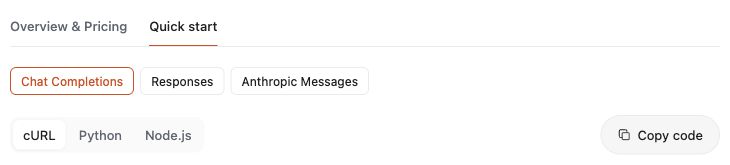
Before running the code, check these connection details.
| Connection detail | What to use |
|---|---|
| Request address | Keep the address generated by the current console. |
| Model ID | Keep the full ID for the selected model. |
| Credential variable | Set the variable named in the panel to your platform API key. |
| Protocol | Use the interface selected in Quick start. |
Prepare the required runtime and dependencies for the selected language. Run the code in your local or server environment.
Check the response and request record#
Confirm that the response contains model output. Then open Logs.
Set the time range to include the request. Filter by model and API key to find its record.
Choose View to inspect the request ID, protocol, usage and charged amount. Success is the execution status. Settled is the billing status.
If no record appears, widen Time range. Choose 30d to see the past 30 days. Use Refresh logs and check the model and key filters.
If the record is still missing, confirm that the request used the address and key from the same console environment.
Troubleshooting#
Read the returned error before changing the configuration.
| Result | What to check |
|---|---|
400 | Request fields and the selected interface. |
401 | The key value, expiry and revocation status. |
404 or model rejected | The generated address, exact model ID and model scope on the key. |
429 | The rate or spend limit named in the response. |
503 | Service availability; wait before retrying. |
Use the integration guide for protocol details. Use OpenAI Chat for conversation history and streamed output.